Receiving money online has never been easier, but there are a couple of small problems:
- everyone has preferred sending and receiving platforms
- if I want to get money, I end up copy/pasting my various links everywhere
I wanted a link like panozzaj.com/$ that was easy to remember so I could type it on my phone.
Ended up making a page on this blog for this. Buttons link to my preferred receiving platforms so folks can pick how they want to send money.
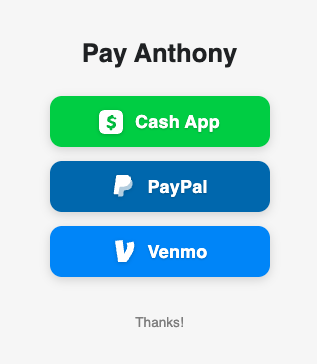
It also takes an optional ?amount= query parameter (in cents) and pre-fills the payment links. For example:
panozzaj.com/$?amount=1500
shows $15.00 and links directly to that platform's payment page with the amount pre-filled.
Gotchas
Shell escaping. $ triggers variable expansion in bash, so any scripts or commands that reference the file need quoting.
I host my blog in S3, so there were a couple of additional production tweaks.
Jekyll permalink needs a trailing slash. permalink: /$ generates $.html, which means S3 serves it at panozzaj.com/$.html instead of panozzaj.com/$. Using permalink: /$/ makes Jekyll generate $/index.html, which S3 serves correctly.
S3 adds a trailing slash redirect. Requesting panozzaj.com/$ returns a 302 to panozzaj.com/$/. To avoid this, after s3 sync, we copy the object to an extensionless key:
aws s3 cp "s3://${bucket}/$/index.html" "s3://${bucket}/$" \
  --content-type "text/html"